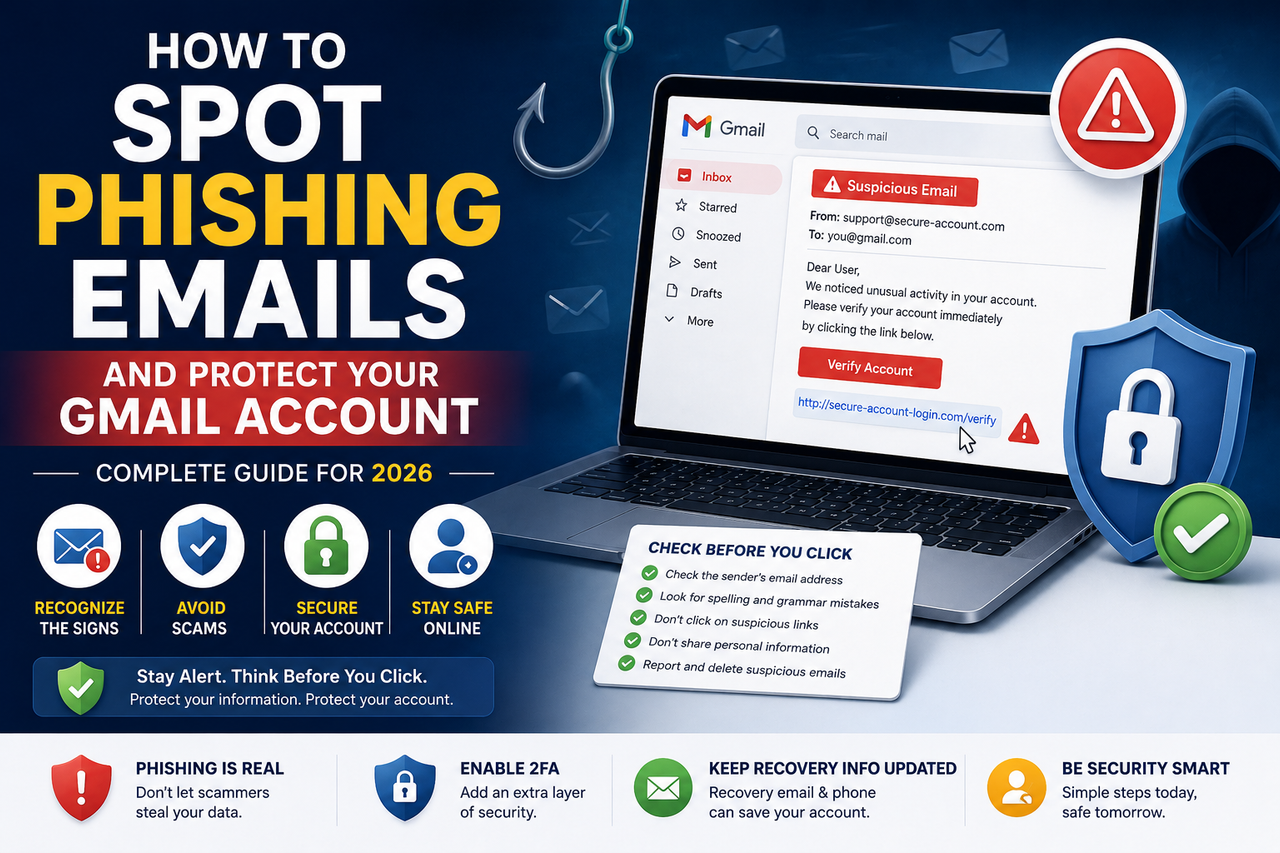
How to Spot Phishing Emails and Protect Your Gmail Account (2026 Guide)
Phishing emails are one of the most common online threats. Learn how to identify suspicious messages, avoid common scams, and protect your Gmail account with proven email security practices and practical tips for safer online communication in 2026.
How to Spot Phishing Emails and Protect Your Gmail Account (Complete Guide for 2026)
Introduction
Email remains one of the most important communication tools for individuals and businesses. Unfortunately, it is also one of the most common targets for cybercriminals. Phishing emails are designed to trick users into revealing sensitive information, clicking malicious links, or downloading harmful files.
Fortunately, most phishing attempts can be avoided by recognizing common warning signs and following good security practices. In this guide, you'll learn how phishing emails work, how to identify them, and the best ways to protect your Gmail account.
What Is a Phishing Email?
A phishing email is a fraudulent message that pretends to come from a trusted organization or person. The goal is to convince the recipient to perform an action that benefits the attacker, such as revealing login credentials, personal information, or financial details.
Common examples include messages claiming to be from banks, online services, delivery companies, or technology providers.
How Phishing Emails Work
Most phishing attacks follow a similar pattern:
The attacker sends a convincing email.
The email creates urgency or curiosity.
The recipient is encouraged to click a link or open an attachment.
The user is directed to a fake website or prompted to enter sensitive information.
The attacker attempts to gain unauthorized access or collect personal data.
Understanding this process makes it easier to recognize suspicious emails before taking action.
Common Signs of a Phishing Email
Unexpected Requests
Be cautious of emails asking you to verify your account, reset your password, or provide sensitive information without warning.
Urgent or Threatening Language
Messages that claim your account will be suspended or that immediate action is required often attempt to create panic.
Suspicious Links
Before clicking any link, carefully inspect the destination. If it looks unfamiliar or unrelated to the sender, avoid clicking it.
Generic Greetings
Phishing emails often use greetings such as:
Dear Customer
Dear User
Valued Member
Legitimate organizations frequently personalize important communications.
Poor Grammar or Formatting
Although phishing emails have improved over time, many still contain spelling mistakes, awkward wording, or inconsistent formatting.
Unexpected Attachments
Avoid opening attachments you were not expecting, especially if they come from unknown senders.
How to Protect Your Gmail Account
Enable Two-Factor Authentication (2FA)
Adding a second verification step significantly improves account security and reduces the risk of unauthorized access.
Use Strong, Unique Passwords
Create passwords that are difficult to guess and avoid reusing the same password across multiple accounts.
Keep Recovery Information Updated
Maintain an up-to-date recovery email and recovery phone number so you can regain access if necessary.
Review Security Settings Regularly
Check your account settings periodically for unfamiliar devices, active sessions, and connected applications.
Verify the Sender
Before responding to an email, confirm that the sender's address matches the organization it claims to represent.
Think Before You Click
Take a moment to verify links and attachments before interacting with them.
What to Do If You Receive a Phishing Email
If you suspect an email is fraudulent:
Do not click any links.
Do not download attachments.
Do not provide personal information.
Report the email using your email provider's reporting tools if available.
Delete the message after reporting it.
If you accidentally interacted with a phishing email, change your password immediately and review your account's recent security activity.
Best Practices for Long-Term Email Security
Developing good security habits can greatly reduce your risk.
Enable Two-Factor Authentication.
Use a password manager.
Keep recovery information current.
Regularly review account activity.
Keep your software and browser updated.
Stay informed about common online scams.
Frequently Asked Questions
Can phishing emails look legitimate?
Yes. Modern phishing emails can closely resemble messages from trusted organizations, which is why verifying links and sender information is important.
Is Gmail able to detect phishing emails?
Many email providers, including Gmail, use automated systems to identify suspicious messages. However, no filtering system is perfect, so users should remain cautious.
Should I reply to a phishing email?
No. Avoid replying or engaging with suspicious messages. If you believe an email is fraudulent, report it using your email provider's available tools and then delete it.
Final Thoughts
Phishing emails continue to evolve, making awareness one of the most effective forms of protection. By recognizing warning signs, verifying unexpected requests, using strong passwords, enabling Two-Factor Authentication, and maintaining updated recovery information, you can significantly improve your account security.
Taking a few extra seconds to evaluate an email before clicking can help protect your personal information, your online accounts, and your digital identity.